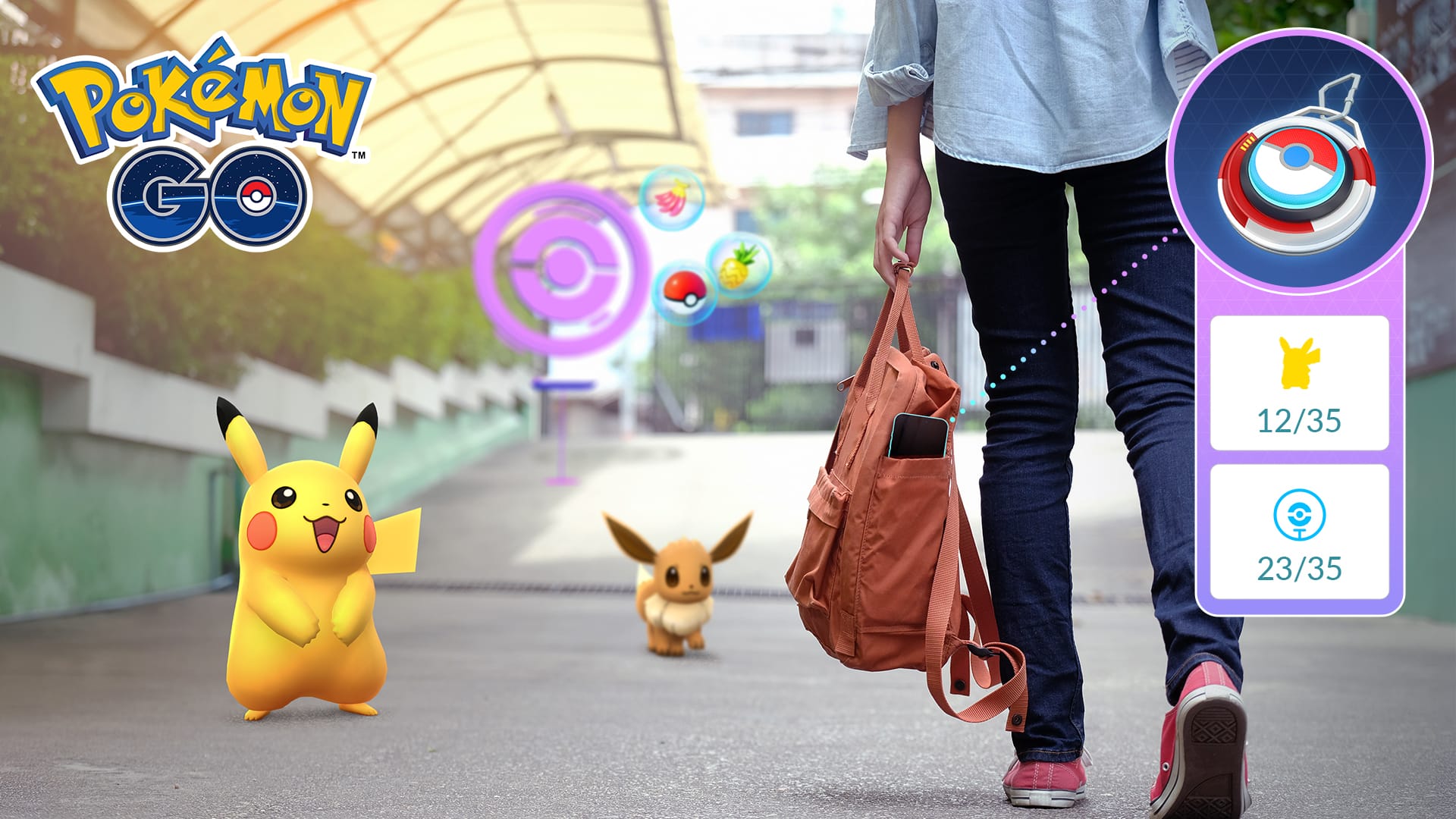
The Explorer Gadget in Pokémon Go is a feature that acts as a virtual Go Plus device built directly into the game.
If you're unfamiliar, Go Plus devices allow you to catch Pokémon and spin PokéStops automatically, and the Explorer Gadget works largely the same way - all without having to use a physical device.
The feature - which first appeared in datamines back in April - started rolling out to select players in June and was only officially announced by developer Scopely Explore in August.
This guide explains how to get the Explorer Gadget in Pokémon Go, how it works, what we don't know, and why it might not be working for you.
Update (28th September): The Explorer Gadget now works while the app is open - a significant and useful change - so I've updated the guide to reflect this.

Sign up to the newsletter mailing list for a FREE guide to the week ahead in Pokémon Go - plus original reporting and features straight to your inbox.
How to get the Explorer Gadget in Pokémon Go
The Explorer Gadget is not available for all players yet, and is currently in a "phased rollout", according to Scopely Explore. To date, the Explorer Gadget has rolled out in the rolling waves:
- 10th June (Australia and New Zealand)
- 31st July (UK and parts of Europe)
- 11th August (United States)
Only players who are Trainer Level 20 and above can use it, and furthermore, not everyone in those regions have access yet. Plus, when you do, it's possible it can be revoked after you receive it (for those in the 31st July cohort, it disappeared after 24 hours, and returned about a week later).
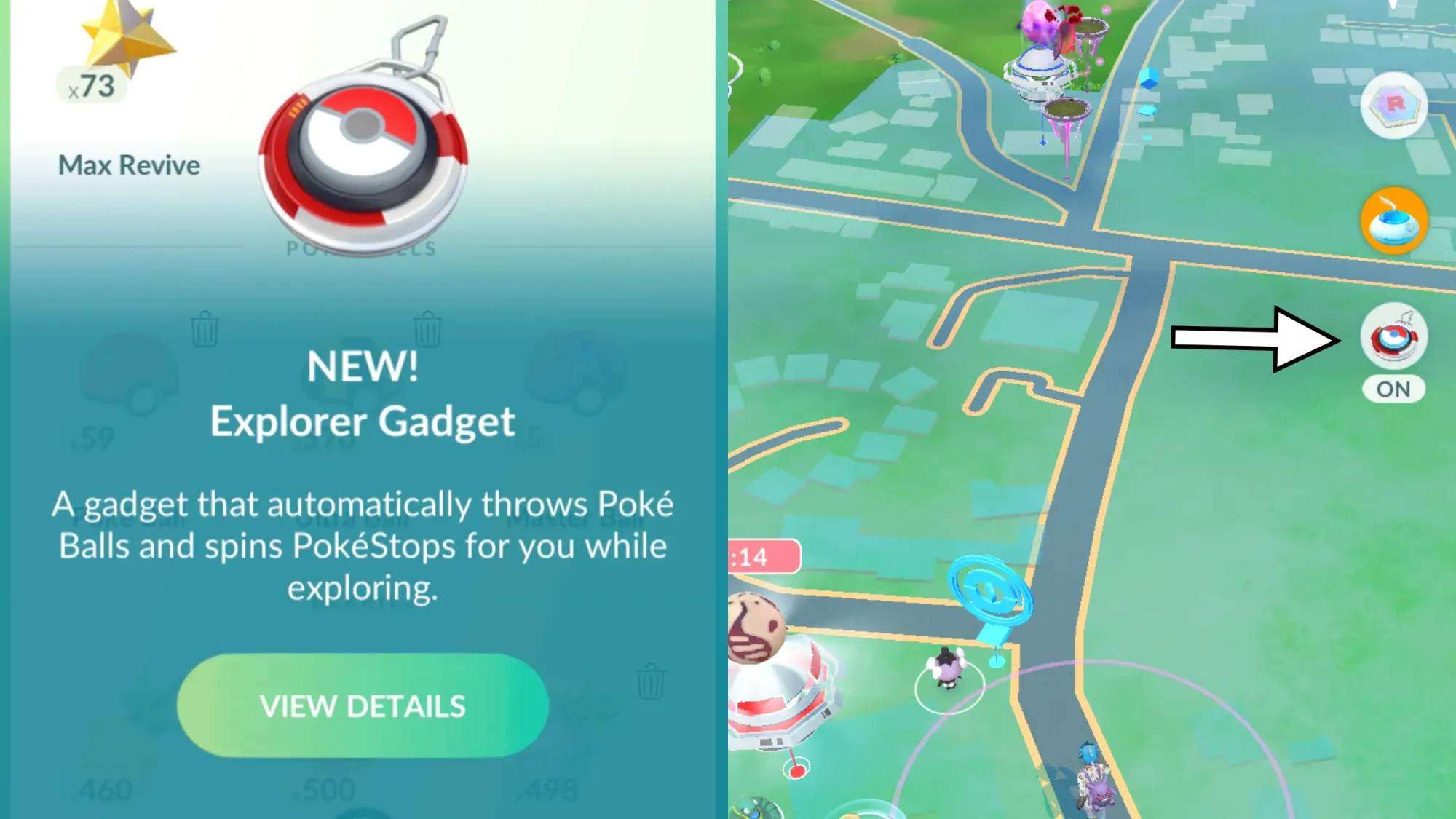
To see if you have the Explorer Gadget, you should see a button on the upper right side of the map screen. If you also open your Item inventory, you should get a confirmation and quick tutorial with how it works.
Why the Explorer Gadget is not working for you
If you have the Explorer Gadget and find it is not working, it could be for a few reasons:
- Though it can catch and spin while the app is open following an update in September 2026, it works best when you are moving. You can see it working with a Poké Ball-like symbol that appears over the Pokémon it is catching / Poké Stop it is spinning.
- Originally, the app would only operate while the app is not active on the screen.
- Either way, the Explorer Gadget works a little slower than Go Plus devices in my experience, meaning it'll take longer to locate things to catch and spin.
- But even then, there have been sessions where it'll just stop after a certain point, and I suspect that's because it's still in the testing phase.
- Make sure you have regular Poké Balls in your inventory to catch Pokémon, and room in your item inventory, as both can prevent it from working.
- If you haven't already, make sure Adventure Sync is enabled so it can track your movements while the app isn't active.
- Finally, the Explorer Gadget can disappear from people's accounts, with the 31st August cohort seemingly having just 24 hours to play with the new feature, before returning a week or so later.
How the Explorer Gadget works (and the questions we still have)
Based on hands-on impressions and community findings, here's what we know about the Explorer Gadget so far:
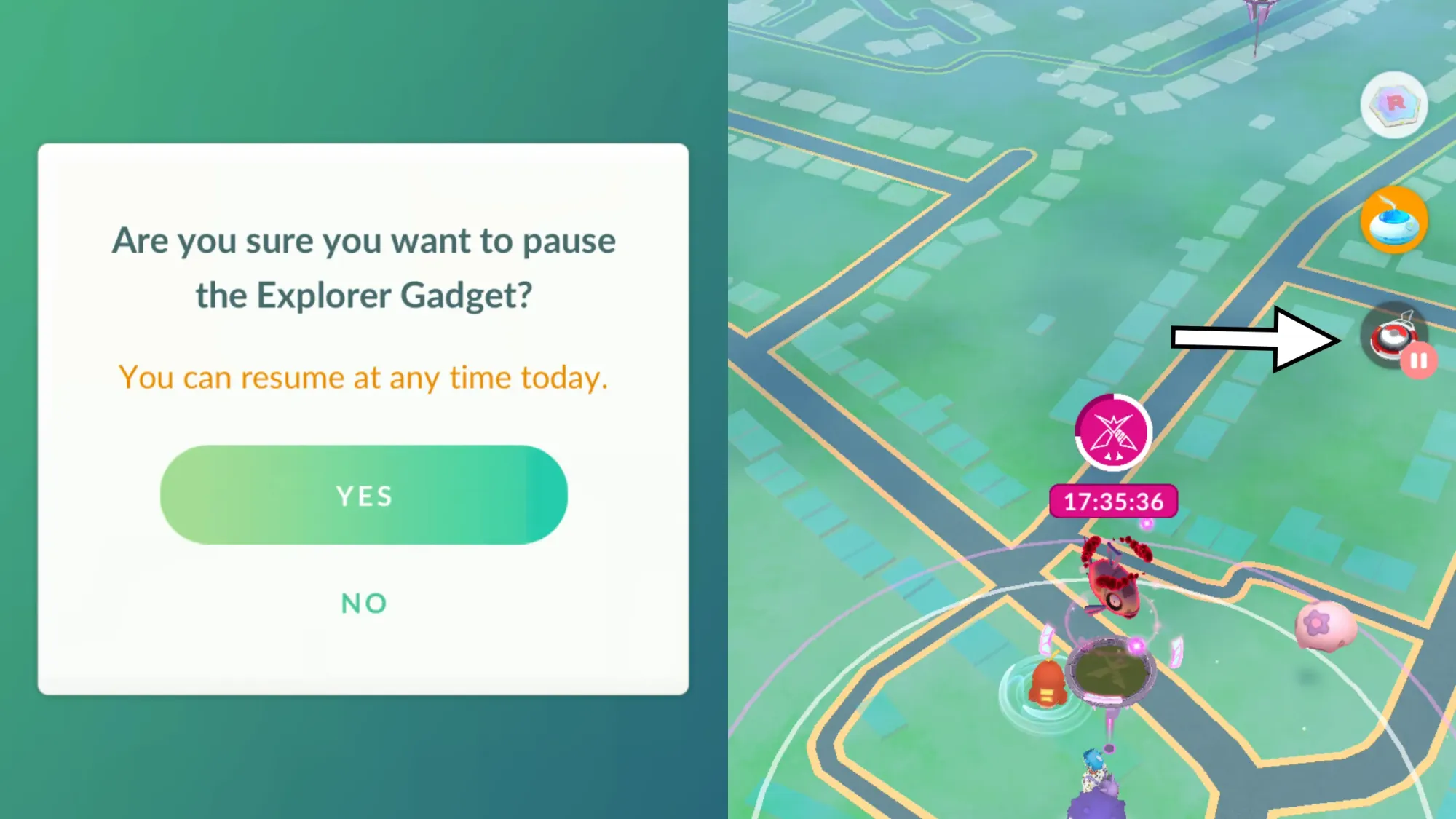
- The Explorer Gadget can be paused and resumed, allowing you to use it in stages, until it's fully consumed that day.
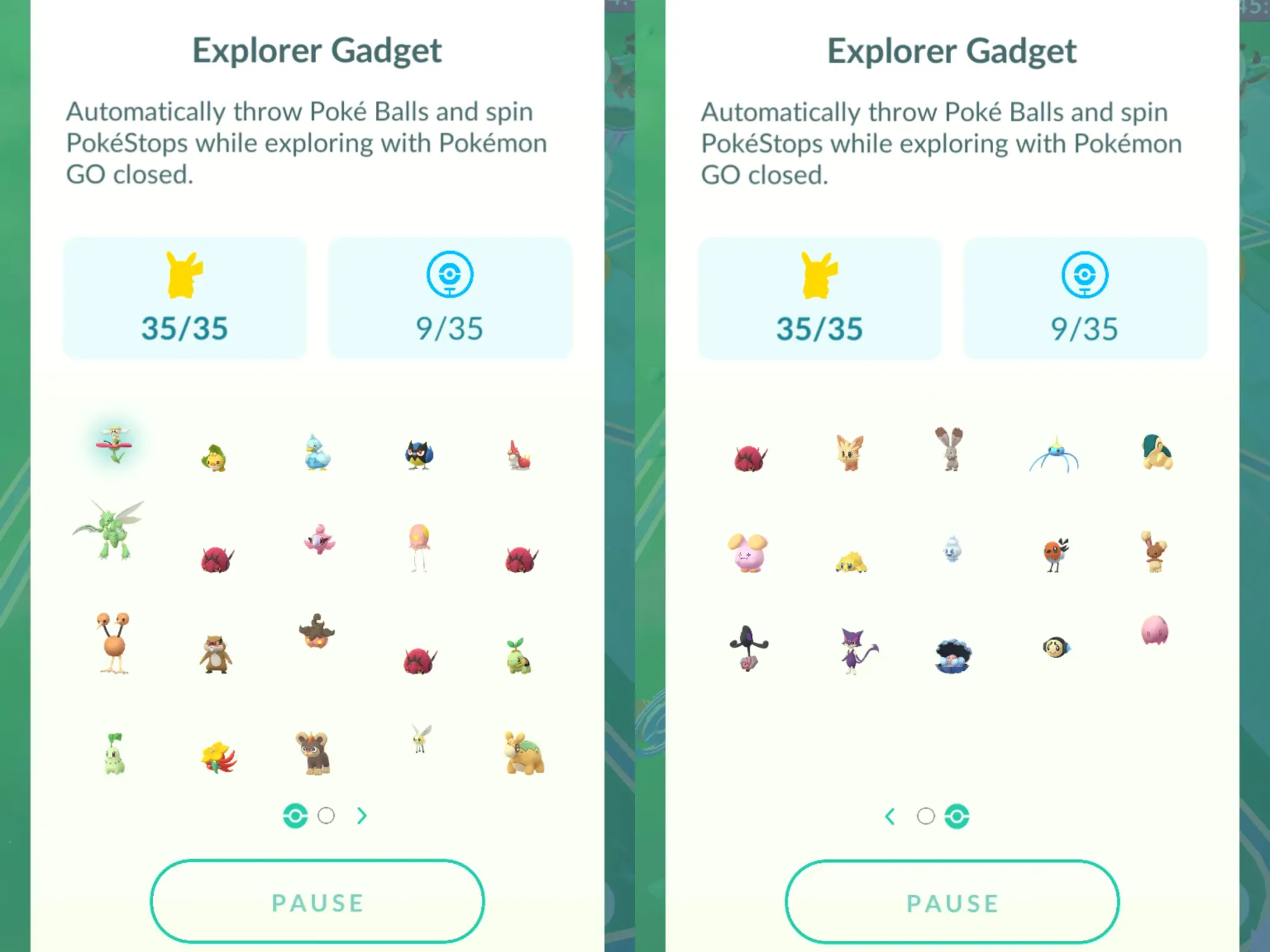
- The device has a limit to the number of Pokémon it can catch and the PokéStops it can spin every day. As of 13th August, this is based on your Trainer level; as a Level 78 trainer, that is how many Pokémon and Poké Stops I can catch and spin per day with the device.
- This is different to how it worked before the device was officially announced, with players having random numbers unrelated to their level, ranging from anywhere between 35 and 80. (I had 35, for example.)
- This Pokémon limit is the total number of actual catches, and not attempted catches. This means if it misses, it'll continue operating until the limit has been reached.
- It will not catch certain types of Pokémon - including those not in your Pokédex, or Mighty Pokémon during Go Wild Area events.
- You can see what Pokémon you have caught by tapping the Explorer Gadget button. You'll also get a full recap of everything it caught when it has been fully consumed.
- When it comes to catching Pokémon, it only uses Poké Balls (Scopely Explore has confirmed it can't use Great Balls or Ultra Balls, unlike Go Plus devices), and you'll get a push notification saying if you have run out. (Thanks SDNite on reddit for revealing this.)
The new explorer gadget only uses normal pokeballs
by u/SDNite in TheSilphRoad
- When active, the Explorer Gadget appears above where the Daily Adventure Incense is on the map screen. It temporarily replaces any Go Plus devices you might have, until it's fully consumed or disabled (see the next section for steps on how to do this).
- Otherwise, the Explorer Gadget is found in the Item inventory alongside the likes of the Zygarde Cell and Link Holder.
- And no, you cannot use an Explorer Gadget and a Go Plus device at the same time.
And here's what we don't know about the Explorer Gadget:
- Whether it'll be free forever, or have its use extended with a paid / premium option, when it's fully available.
- When it will be available for all players. Based on previous new features to the game, it tends to be staggered in waves until a full announcement and full rollout.
If you want to know my thoughts on how the Explorer Gadget can be improved - and the three things I already appreciate about it - then you can read the following feature:
 Matthew Reynolds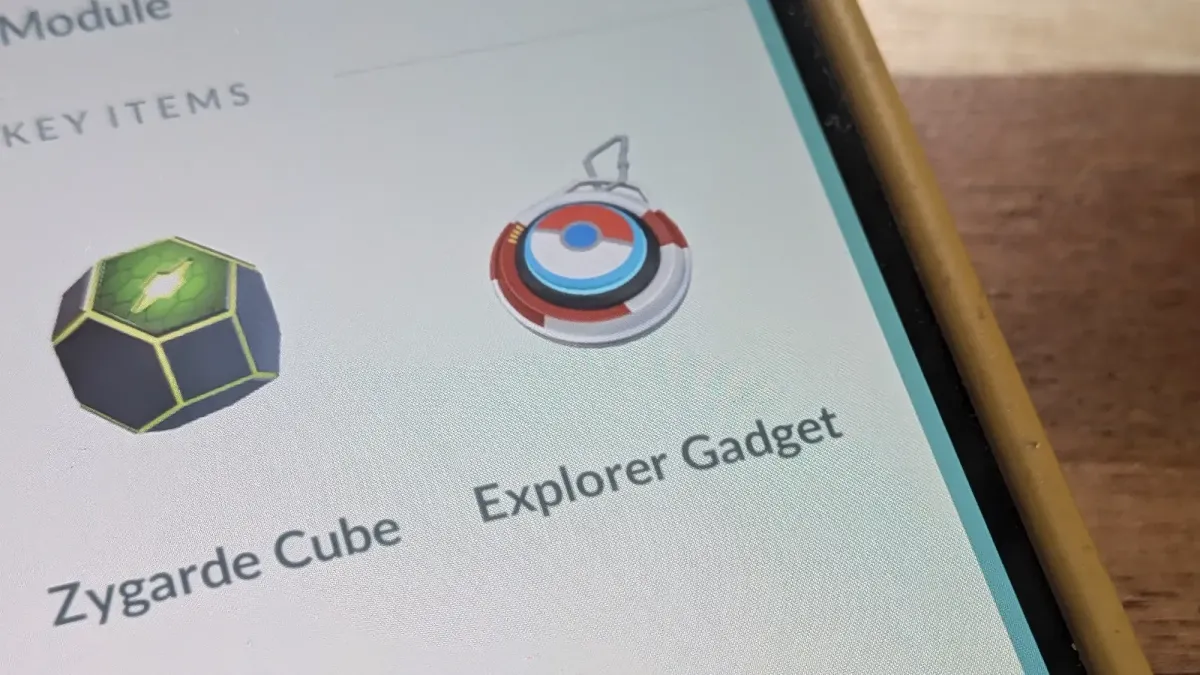
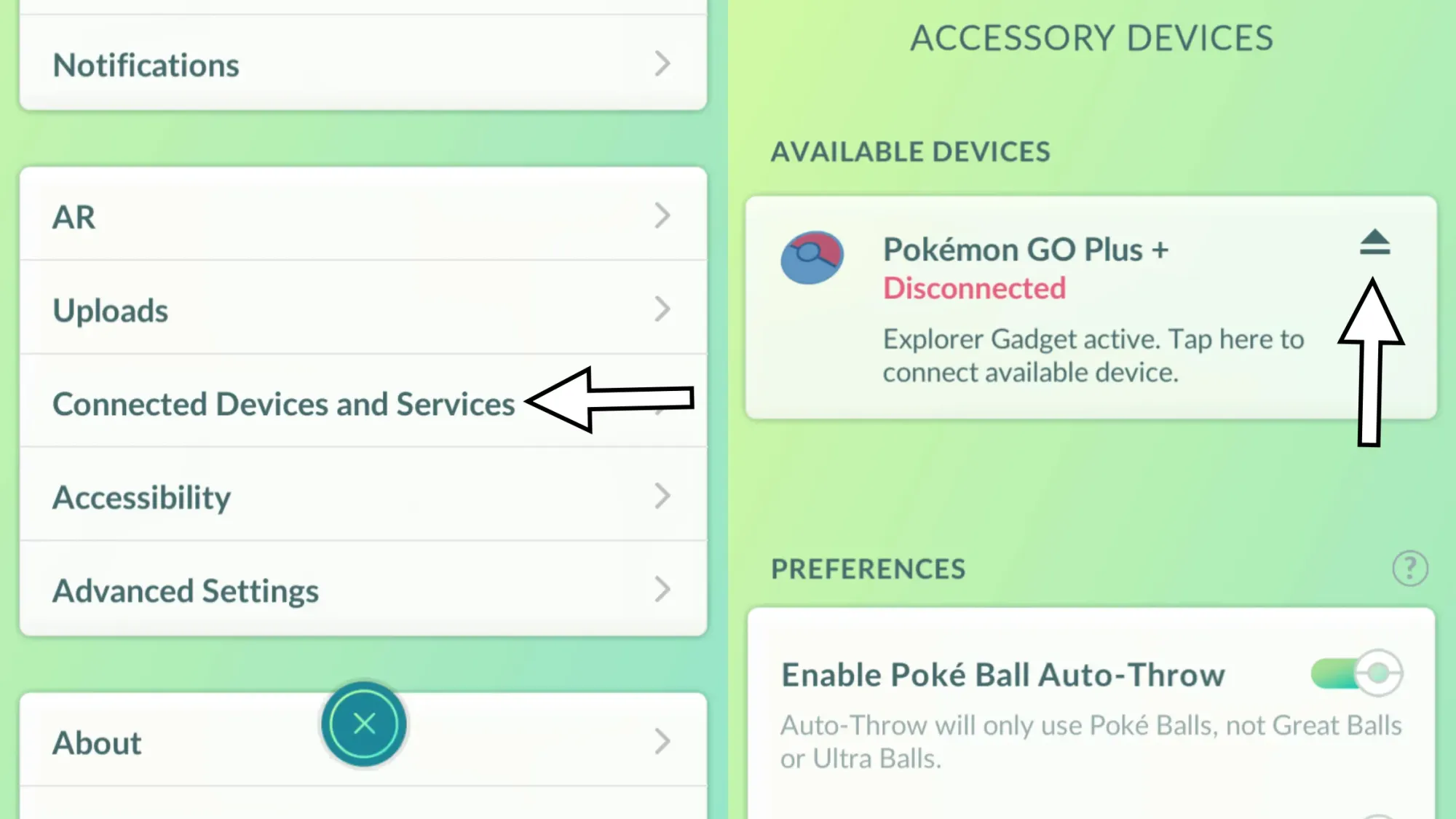
How to disable the Explorer Gadget for a Go Plus device
Since the Explorer Gadget has several differences compared to a Go Plus device, you might find you'll prefer to use your Go Plus instead.
There is a way, however, to switch the Explorer Gadget for a Go Plus:
- Open 'Settings' (by tapping the Poké Ball icon at the bottom centre of the map screen, then 'Settings' is in the upper right corner)
- Tap 'Connected Devices and Services'
- Tap 'Accessory Devices'
- Select the top-most option which displays your synced Pokémon Go Plus device
If you decide to do the above, know that you cannot use the Explorer Gadget again that day.