

2x Transfer Candy is one of the more coveted bonuses in Pokémon Go.
By waiting for this to be active, you get double the usual Candy for transferring Pokémon - useful for rare creatures you no longer want in your inventory.
Thankfully, it's a staple of the Spotlight Hour event, with the bonus appearing every five weeks or so. And with Spotlight Hour returning after a short hiatus in the first half of 2026, we now have a 2x Transfer Candy bonus schedule to follow.
This article features all known upcoming 2x Transfer Candy bonus dates in Pokémon Go, and how to make use of the bonus when it comes around.
Update (31st October): Another check for a possible next 2x Transfer Candy bonus (there doesn't appear to be one!)
Pokémon Go 2x Transfer Candy schedule in October 2026
The next upcoming 2x Transfer Candy bonus date in Pokémon Go has yet to be revealed.
November's update should have revealed one, but with the Spotlight Hour lineup only featuring two events, none of which being a 2x Transfer Candy bonus, it's unknown when it'll be. With the line-up for the month still be clarified, it's possible we'll hear more soon.
Trainers, get ready to take a walk on the wild side in November with #PokemonGO! 🌄🤩
— Pokémon GO (@PokemonGoApp) October 19, 2026
The content update for November is filled with adventures like GO Wild Area 2026: Global, Into the Wild, Twilight Wishes, and more! pic.twitter.com/QXxywoJp3b
The previous Spotlight Hour for October was during Stufful Spotlight Hour on Thursday, 15th October between 6pm and 7pm local time.
How to make the most out of the 2x Transfer Candy bonus
Transferring a Pokémon is one of the best ways to get additional Candy for that Pokémon, and so by waiting for the 2x Transfer Candy bonus, you are essentially doubling your gains.
To make the most of this bonus, save any rare Pokémon (such as legendaries) or Pokémon with high Candy evolution requirements (such as Magikarp or Larvesta) you no longer want to keep - such as those with poor stats - until the bonus is active.
It's also worth considering keeping any spare Community Day or Spotlight Hour Pokémon, especially as you tend to catch dozens or hundreds in a session - resulting in even more Candy if you time a transfer alongside the bonus.
(You could also simply save all Pokémon you plan to transfer until the bonus is active, though this might require a hefty amount of storage to do so.)
If you're struggling to keep track of what you're holding onto, I highly recommend you Tag the Pokémon you want to transfer (my chosen Tag is simply named 'To Transfer') so you can quickly select all and Transfer when the time comes.
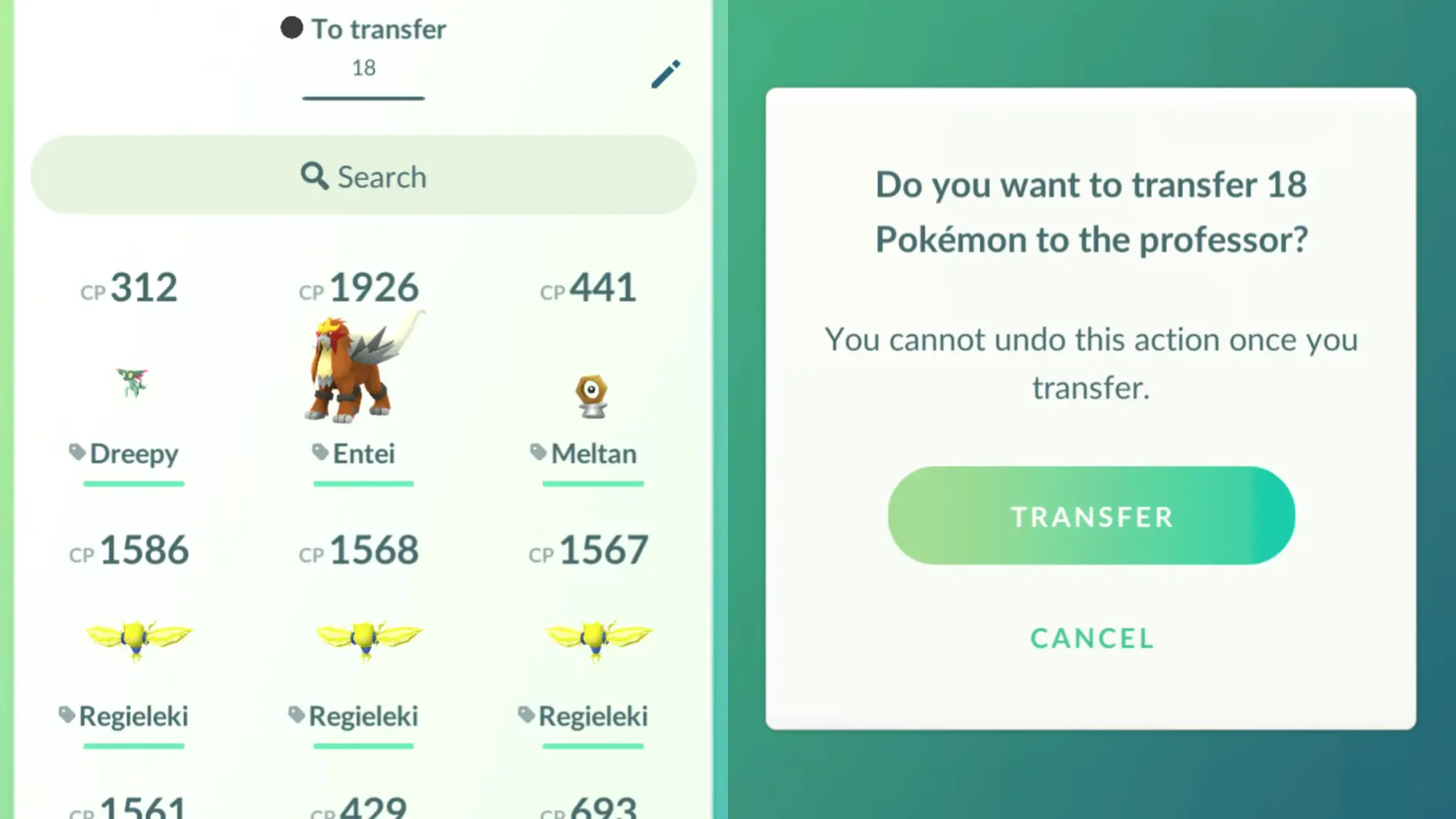
And when you do Transfer, know that in my experience, it tends to take a few seconds to recognise the mass transfer process, so don't worry if the game stalls briefly. And if you have an error, then provided you've tagged them all, then it's easy to try again straight away.
Enjoy all the Candy gains by waiting until the opportune moment!

Sign up to the newsletter mailing list for a FREE guide to the week ahead in Pokémon Go - plus original reporting and features straight to your inbox.


